
Bestseller
MS Office 2016 Professional Plus - the decisive more for business MS Office 2016 Professional Plus is the most comprehensive edition of Microsoft Office version 2016, it contains all the programs needed in a company not only to manage the usual daily project tasks, but also to communicate effectively with others and manage extensive databases: In addition to the classic Office programs Word, Excel, PowerPoint and Outlook, Professional Plus with OneNote and Publisher offers ways to digitally record and share ideas and inspirations, as well as professionally design and publish publications for advertising and other purposes. The decisive plus of this Office edition, however, is the integration of Access, the software for the uncomplicated creation of database applications, and above all as an exclusive component: Skype for Business - for a wide range of possibilities in communication. All the programs included in Office 2016 Professional Plus: Word 2016 - create texts in many formats for business and personal use Excel 2016 - complex calculations for accounting, statistics and more PowerPoint 2016 - design informative presentations Outlook 2016 - for organizing e-mails and contacts and planning appointments and tasks OneNote 2016 - record notes spontaneously and share them with others Publisher 2016 - design all types of print media in a printable manner Access 2016 - design database applications for business Skype for Business 2016 - secure and diverse communication possibilities Office 2016 Professional Plus generally also offers some innovations compared to the previous version - including the following features: New Office designs are available for all editions, with which the individual programs can be individually colored: In "Dark Gray" mode, strong contrasts make it easier to work, while the "Colored" design brings a modern look. The intelligent "Insights" wizards link Bing searches to individual Office programs, while "Tell Me" makes finding editing functions even faster. OneDrive and SharePoint connect Office users in the cloud - for flexible, secure sharing and real-time collaboration on documents. Data Loss Protection (DLP) provides the ability to centrally create policies for Word, Excel and PowerPoint documents to control the use and sharing of sensitive data. The Office 2016 Professional Plus edition was not originally designed for individual customers and is therefore normally only available as a volume license, as used in larger companies. At Softwarehandel24, single users, such as the self-employed, or SMEs can also purchase the Office 2016 Professional Plus Edition as a single license. The purchase of this Professional Plus Edition has the advantage that the versions of Office 2016 are still supported by older Microsoft operating systems starting from Windows 7; this makes it particularly interesting for those buyers who do not use a current version of Windows. In Softwarehandel24's online store, in addition to Office 2016 Professional Plus as a purchase version (without subscription!), you can also get the Standard edition as a single license. A detailed overview of all single programs included in Office 2016 Professional Plus can be found below. Single programs of the Office 2016 Professional Plus Edition Each program in the Office 2016 Professional Plus Edition covers its own business area with its specific functions - supplemented by many optimizations and new features: Word in Office 2016 Professional Plus The Word program in Office 2016 Professional Plus fulfills all classic tasks in written communication - at the workplace or online in the cloud. In addition to more templates, Word offers several new features: Open PDF in Word: PDFs can now be opened directly in Word 2016. This eliminates the need to copy images and graphics, and even formatting and fonts are adopted. The Word document can also be saved in PDF format again. More options with WordArt shapes : The WordArt shapes for designing text offer even more options in Word 2016: Texts can be transformed in different shapes or freely to fit graphical elements, etc. Real-time input: The optimized real-time input makes simultaneous work on a Word document even clearer: All employees can immediately see the changes made by other users and also correct them if necessary. Comment function: The optimized comment function offers the possibility to reply to individual comments directly in the same field, which significantly improves clarity. Pinned folder: The folder under which each Word document was saved can be pinned as an icon and accessed - even by other employees. Excel 2016 for Office Professional Plus Excel 2016 expands the possibilities in complex calculations and analysis of data with practical functions and new types of graphics in visualization: The program suggests the most suitable chart types for each calculation operation currently being performed as soon as the user highlights the corresponding data with the mouse, and shows them in the live preview. New calculation functions available in Excel 2016 include PROGNOSE.ETS to generate, in particular, short-term future forecasts including best & worst cases. Interactive charts such as the drill-down navigation used in Online Analytical Processing (OLAP) are available for pivot tables, and the LET function improves readability within a formula. With the new view filter , the filters of other users can be hidden. The following new chart types are now available in Excel when visualizing calculations: The histogram can be used to display frequency distributions of certain classes. As a special form, the Pareto chart is available here to show values both absolutely and relatively in column form. The waterfall diagram is also a column diagram, which can be used to display positive or negative changes in an initial value. The treemap displays individual ratios in a hierarchical structure, while the sunburst chart displays hierarchical data in a concentric arrangement so that relationships can also be shown. And the boxplot or box chart is used to visualize data as quartiles and medians in statistical analyses. PowerPoint for Office 2016 Professional Plus PowerPoint offers even more choice in the design of presentation slides in the Office 2016 version, as well as new functions when presenting: As soon as you insert a graphic or illustration into a slide, PowerPoint Designer suggests various design options that are applied immediately with a click. To create dynamic transitions between slides, the morph function can be used to animate images or graphics, but also individual words and even entire texts. During a presentation, the brush tool can also be used instead of the laser pointer to highlight individual terms or graphics etc. on a slide in color. The original PowerPoint document is not changed in the process, because the tool is used in presentation mode. Time management becomes even easier with the time tracking tool , because it always shows the available time, so that a given time frame can be better adhered to. The sharing feature makes it even easier to publish presentations to social media channels for other interested parties. Outlook in Office 2016 Professional Plus Outlook 2016 makes managing communication data and scheduling tasks and appointments even more efficient. Various filter functions not only manage e-mail traffic, but also make it easier to search for content, contacts or documents: The Clutter function sorts the inbox according to important and unimportant e-mails, automatically deactivating potentially dangerous content and links. Clutter analyzes the behavior of a user according to which e-mails are read first, later or not at all, and thus continuously improves the sorting criteria. A Virtual Search Folder lists all the results of a search that match a predefined criterion - e-mails, personal data and contacts, etc. - together. The address book automatically suggests matching contacts from the address book when entering the first letters of a name in a new e-mail, or those with whom the sender of the e-mail communicates frequently when clicking in the "To" field. When sending attachments , Outlook 2016 suggests a list of all recently used files when clicking "Attach file". Each attachment includes a drop-down menu to open, save, copy or delete. Instead of attachments, files can be sent via OneDrive and SharePoint can be sent as links if they are stored there, this speeds up sending and reduces the amount of data in the email box of both sender and recipient. OneNote in Office 2016 Professional Plus OneNote is the popular digital notebook that can conveniently be used on smartphones and tablets to capture or save and share your own ideas, as well as images, web pages, etc. from the Internet. OneNote notebooks can also be stored on OneDrive and thus shared with other users. The other advantages: OneNote can be synchronized on all devices. On touch-enabled devices, texts etc. can also be entered with the finger or a digital pen. The integrated text and speech recognition also searches images (e.g. screenshots), video and voice files for keywords. OneNote can be integrated into other Office programs to take notes etc. directly there. Content originating from Internet sources is automatically linked to the original source. Notes can also be linked together. Publisher in Office 2016 Professional Plus Microsoft Publisher is the versatile office program to create all kinds of print media in print output quality. The publishing software is an extra part of the Office 2016 Professional Plus edition and is not included in most other editions. The intuitive layout tools, arranged in a user-friendly manner on the user interface, support users in designing a variety of document types as well as in image editing. Effects such as shadows, glows, reflections, etc. are available for images, but also for texts, in order to change their appearance. A separate column in the design area is available for editing multiple images. Using drag & drop, these can be easily exchanged or inserted from the Microsoft ClipArt library, via Bing image search from the Internet or an online photo album. Other functions and features of Publisher 2016: When you open the program, design templates in common formats are available, as well as typical building blocks -such as headings, text frames and columns, etc.- for different types of documents: from simpler A4 flyers to multi-page brochures and catalogs. All predefined elements of a template can be customized and saved so that they are available again for further publications. Publisher includes scalable SVG vector graphics and 3D objects that can be enlarged or rotated 360 degrees without losing sharpness. The ruler function places text and graphics in a document with millimeter precision. The text field tool indicates when a longer text is inserted into a text frame that is too small; individual text fields can also be linked with it so that the text is automatically distributed among them when inserted. Access in Office 2016 Professional Plus Access 2016 is the practical Microsoft software for designing your own databases for project management, as well as for goods management and other tasks in a company in a relatively uncomplicated way. With its intuitive tools and features, Access is designed to be used both commercially by business users and privately. The database software is an extra component of the Office 2016 Professional Plus edition and is not included in almost all other Office editions. The clear arrangement of functions, sorted by application areas, and the Access files allows users to quickly find their way around; for example, the start screen displays the most recently used databases, which are immediately available with a click, while the list of commands displayed in the ribbon can be individually configured according to one's own wishes, including quick access for frequently used functions. Numerous templates are available in Access 2016 to create database applications for typical tasks quickly and easily. Microsoft Access 2016 also offers the option of developing database-based applications (apps) for mobile devices, which are accessible to other employees via the SharePoint connection. In addition, the following features and tools are available in the 2016 version of Access: Database queries in Access 2016 are enhanced by the use of wildcards - so-called jokers, such as * ? # - for unknown elements of a data set. When importing tables from different database sources, Access 2016 supports finding redundant data by allowing the respective tables to be joined together so that duplicates can be deleted. Forms in Access 2016 are a practical feature for displaying data clearly. Compared to tables, only a single record is displayed, which simplifies manual entry and maintenance. These AutoForms can be created using the form layout tools. The BigInt data type "Big Number" improves on the one hand the compatibility with MS SQL servers, and on the other hand it can be used to calculate large numbers: With eight bytes, BigInt has a much larger calculation range than the previous data type with only four bytes. The renewed support of dBASE files and of ODBC - Open Database Connectivity protocol - extends the application possibilities of Access by corresponding databases. Skype for Business in Office 2016 Professional Plus Skype for Business offers extensive possibilities to connect with other users internally or externally that go far beyond telephoning. The communication software is an exclusive part of the Office 2016 Professional Plus edition. Skype for Business was developed specifically for effective, fast communication both inside and outside the company: With the program, in addition to telephony (IP), it is also possible to conduct chats and video conferences, as well as transfer files and even presentations via it - as always, the operation is intuitive. Skype for Business can be used either locally or in the cloud, the application and the range of functions are identical. Communication via Skype for Business is secure thanks to dedicated authentication guidelines and encryption; the program also offers the option of centrally administering employee user accounts. However, employees or external participants without an account can also take part in Skype meetings. The presence status of a user is indicated by an icon on the profile picture. Here there are various options to convey to others whether one is available but busy, or absent or inactive; even if one is present but does not want to be disturbed, this can be conveyed - depending on the choice, this also changes the options for communication. System requirements for Office 2016 Professional Plus: MS Office Professional Plus is available by default in a 32-bit and a 64-bit version. Normally, the 64-bit version is automatically installed on the PC - however, only the 32-bit version can be installed on a 32-bit operating system with an x86 processor. Individual hardware requirements differ as a result - see the specifications for working space and hard disk space. The following minimum requirements must be observed: Operating system: Windows 7, Windows 8.1, Windows 10, Windows 11, Windows Server 2012/ 2012 R2 /2016 /2019 /2022 Processor: x86 or x64 bit processor with 1 GHz and SSE2 Memory: 1 GB RAM (32-bit), 2 GB RAM (64-bit) Hard disk space: 3.0 GB Display: 1,024 x 768 resolution Graphics card: DirectX 10 graphics card for graphics hardware acceleration Buy MS Office 2016 Professional Plus cheap at Softwarehandel24 in our online store The MS Office 2016 Professional Plus edition is not available in other software stores, but can only be purchased as a volume license for businesses. In the Softwarehandel24 online store, Office 2016 Professional Plus is also available as a single-user license, namely as a purchase version - without update or other obligations as with a Microsoft subscription; you therefore only pay the one-time price when purchasing via Softwarehandel24! You purchase the full version of the Office edition, which offers the identical scope of programs and functions as the volume license - with the only difference that this Office 2016 Professional Plus single license is used exclusively by yourself. Secure software purchase with Softwarehandel24: For you as a customer, the purchase of Office 2016 Professional Plus or another Office 2016 edition at Softwarehandel24 is not only particularly favorable and convenient, but also secure: Your single-user license of Office 2016 Professional Plus software was part of a larger volume license, as sold by Microsoft only to larger companies. These also acquire the right to resell surplus software licenses to Softwarehandel24, for example. These licenses were either not used, or they may have been superseded by a newer program version or no longer supported due to a general change of hardware or an update of the operating system in a company. When sold, the original volume license is broken up and converted into individual licenses - these are then referred to as used software. Splitting into individual licenses does not change the scope of the programs in this Professional Plus Edition, nor their functionality, because they do not wear out through use. All full program versions of MS Office Professional Plus or other Microsoft programs offered by Softwarehandel24 are identical to the corresponding original Microsoft versions and editions and originate from first-time buyers (companies) located in Europe. When you buy Office 2016 Professional Plus from Softwarehandel24 Software Shop, you also do not run any legal risk, because trading in used software is expressly permitted by law, which has been clearly confirmed by numerous verdicts. This used software of Office 2016 Professional Plus can be installed on your computer immediately after your completed purchase and download and activated with the supplied multi-activation key (volume license key) and then used without any time restrictions. Buying used Microsoft Office packages is not only convenient for Softwarehandel24 customers, because they can buy normally unavailable Office editions, but also particularly favorable. Many self-employed and private users as well as SMEs therefore take advantage of our software offer: because with Softwarehandel24 they not only get all the exclusive benefits of Office 2016 Professional Plus Edition, but also save money! In the Softwarehandel24 Software Shop you can find Office 2016 Professional Plus Edition as well as other editions and versions and many other Office programs for sale. If you have any questions about Office 2016 Professional Plus or any other Microsoft Office 2016 edition, just use our competent advice via email, phone or chat.
Microsoft Office 2021 Professional Plus - indispensable for business professionals The latest version of the globally used versatile Microsoft Office suite offers professional users in companies as well as the self-employed with the Professional Plus Edition a new, even higher Standard in functionality and convenience - not only for the creation and joint editing of documents, but also for comprehensive communication and secure sharing of data, which also raises collaboration in the cloud - especially in the home office - to a new level. At the same time, the new MS Office Professional Plus includes comprehensive security standards and takes into account the current new data protection regulations. Of course, every release of MS Office also includes further improvements and practical additions to the tried-and-tested programs Word, Excel, PowerPoint and Outlook - for example, the comprehensive sharing options and real-time editing of documents make it even easier to work together in a team. In addition, Professional Pro Edition 2021 gives you exclusive access to further business tools: such as Access and Publisher - as well as the Microsoft Teams app. You can already find the MS Office Edition Professional Plus 2021 in the Softwarehandel24 Software Shop as used software - and at a lower price than new software - best contact our team right away and find out when you can download this Office version, as well as other editions of MS Office 2021. Below you will find an overview of the already known innovations of this edition, as well as detailed information about the individual programs and the exclusive features that are only available to you in Professional Plus. Proven Office applications - even more powerful in Professional Plus 2021 As before, the programs Word, Excel, PowerPoint and Outlook form the backbone of all Microsoft Office suites. In Microsoft Office 2021 Professional Plus, these have been further optimized and new functions added to further increase efficiency, facilitate cross-program work and improve team collaboration: Microsoft Word 2021 speeds up work on documents even more, for example, with an integrated translation tool, a dictation function, and improved spelling correction including grammar correction. With speech output, you can have texts read to you while you write in parallel, and voice input has also been improved. The new editor now allows you to accept writing and spelling suggestions directly with a click. Another new feature is the improved recognition of virtual ink - sentences written with a digital pen on a display are thus converted into typewritten text even more error-free. In addition, there are numerous individual improvements: With SVG graphics, more complex image documents can now be integrated, scaled and edited without taking up much memory. HEIC images from iPhones or iPads can be inserted directly without conversion Microsoft Excel now offers dynamic arrays and an improved XVERWEIS function in Professional Pro Edition 2021, in addition to a range of functions and filters such as timeline filters for professional analysis and editing of tables. In addition, the table functions for financial calculations such as have been improved once again; as before, the great compatibility, especially with CSV files. Microsoft PowerPoint 2021 has integrated a variety of effects such as morphing as well as further image editing options; Ultra HD files can be inserted directly into presentations as well as graphics can be freely scaled; the zoom function makes it possible to zoom into an image. Animations can also be performed with the digital pen. PowerPoint file sharing options now include speaker view, and Microsoft Forms lets you launch a direct poll among meeting participants. Microsoft Outlook 2021 has further improved comprehensive, global collaboration with colleagues and partners across all locations in different time zones. Time differences are automatically taken into account when scheduling appointments; the new Outlook also supports the creation and management of any number of e-mail accounts - especially beneficial for users with multiple accounts. Messages from Outlook can be shared directly with others in Microsoft Teams, and a new dictation toolbar including enhanced voice commands and automatic punctuation make composing e-mails easier. Access 2021 now better supports the deployment of various database applications that work directly in the browser, thereby saving valuable storage space. The data stored on top of it, for example, is made available in a Microsoft SQL database for secure access. Publisher 2021 includes new options and features especially for editing graphics to use them in interesting presentations and publications: including improved pen recognition and accelerated collaboration with Access. MS Office Edition Professional Plus 2021 also includes the two applications OneNote and Microsoft Teams, which replaces Skype. Benefit from many other advantages with Office 2021 Professional Plus In addition to the aforementioned innovations in the individual programs of MS Office 2021 Edition Professional Plus, users naturally also have access to many other general practical features and benefits that also support mobile working: Intuitive collaboration on documents, spreadsheets or presentations in a team also makes it even easier for participants to communicate with each other. The user interface of Office 2021 is particularly clearly designed - in addition, the dark mode is available in many applications, which supports eye-friendly work. The new drop-down menu in the search area makes searching even easier - for example, users can switch between the current mailbox and the currently open folder with a single click. The desktop client also allows users to return to recently visited locations via the history menu, and there is an option to mask phone numbers, allowing for more privacy and anonymity. Many Office features can be accessed on the move via smartphone or tablet, and the web apps make access particularly practical here, as the individual functions and elements can be found even more quickly to edit documents quickly on the move. Files can also be opened with devices of other users in the cloud and thus be shared. Data Loss Prevention in Office 2021 Professional Plus to prevent loss and disclosure of data The proven Microsoft Data Loss Prevention (DLP) tool is also used in MS Office 2021 Professional Plus to comprehensively protect confidential information or data from intentional or accidental disclosure by employees. Organizations or companies thus protect precisely personal information from unauthorized access, as required by the DSVGO. Dynamic content-based control not only monitors all data movements, but also blocks transfers via e-mail or Internet-based applications. Administrators can set up differentiated rules for access to defined data, e.g. to restrict or block it completely, and also alert users to potential risks in the event of data loss. In MS Office 2021 Professional Plus, it is now easier to define in the individual programs what information can be integrated into a document or shared. When using cloud services such as OneDrive, important data will not be lost even in the event of a server failure or malfunction of a terminal device, because users can thus easily access and edit these files from anywhere. System requirements for Microsoft Office 2021 Professional Plus The following system requirements apply to all MS Office 2021 Professional Plus, depending on the use of additional apps or programs, additional requirements may apply above this for these applications: Operating Systems: Windows 10, Windows 11, Windows Server 2019/2022 Processor: 1 GHz (32- or 64-bit) Working memory: at least 2 GB RAM Hard disk space: at least 3 GB Image resolution: min. 1,280 x 800 pixels Graphics card: DirectX 10 Which Windows version is compatible with MS Office 2021 Professional Plus? As already described in the system requirements, all editions of Microsoft Office 2021 require Windows 10 as the operating system for the software to run properly. Therefore, Microsoft Office 2021 Professional Plus is not compatible with Windows 8, 7 or older versions. How is Microsoft Office 2021 Professional Plus licensed? This edition of Microsoft Office 2021 is licensed for a specific single endpoint device. Depending on the terms currently in effect, you may also have the right to install on that computer any number of copies of this edition and any previous editions, including deploying copies to a network server to be accessed remotely or via Virtual Desktop Infrastructure (VDI) from the licensed device. For more details, please contact a Softwarehandel24 representative. Buy Microsoft Office 2021 Professional Plus in the Softwarehandel24 Software Shop The new Microsoft Office 2021 Professional Plus Edition is already available from Softwarehandel24 as a used single license - making it cheaper than new software. With the purchase of used software of Office 2021 Professional Plus you always profit from the following advantages at Softwarehandel24: Immediately after purchase, your MS Office 2021 Professional Plus application is available to you via Electronic Software Delivery (ESD). MS Office 2021 Professional Plus as well as all other used Office licenses offered for sale at Softwarehandel24 are neither limited valid or time-limited trial versions, nor do they contain an already activated license key. When you purchase them in our software store, you are buying a software product authorized only for yourself. You will receive a single license of MS Office 2021 Professional Plus, which was previously purchased and resold by a European company. By reselling, this license of MS Office 2021 Professional Plus is marked as used without "used" implying any restrictions on the functionality of the software. If this initial purchaser already had this Office software installed, it was deleted with the sale to Softwarehandel24, so the software license in question is 100% free again. All such used licenses purchased from Softwarehandel24 have also been tested by us for full usability. The legal basis for the resale of used Microsoft Office software is the applicable law, which allows the sale and purchase as well as the use of such software. Therefore, when buying a license with Softwarehandel24, you can be sure that you are purchasing and using a legal and original Microsoft product. If you have any further questions regarding your license purchase of Microsoft Office Professional 2021 Plus as used software or any other Office 2021 edition as well as older Office versions or other Microsoft software, please feel free to contact us via email, phone or chat.
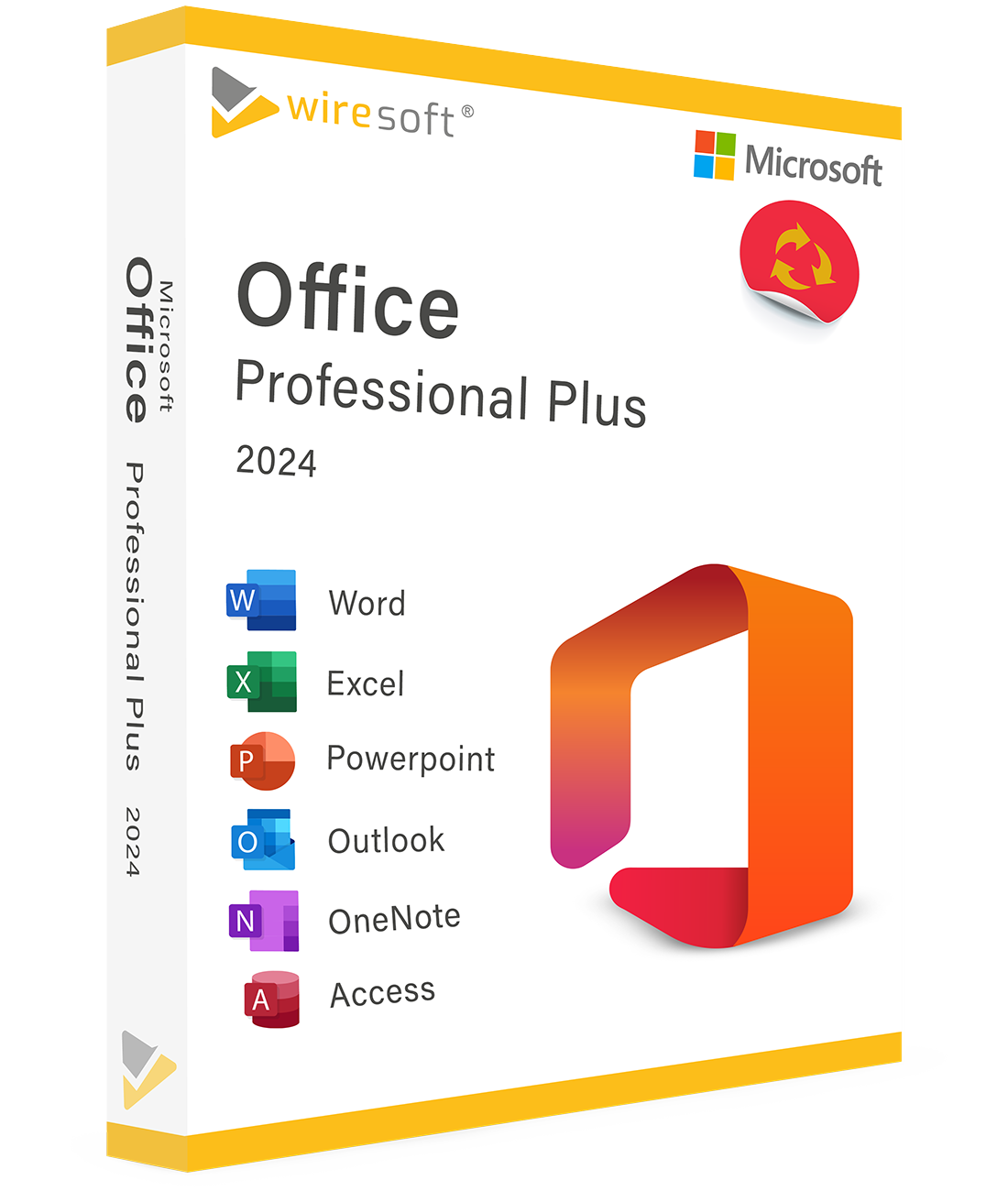
Microsoft Office 2024 Professional Plus – Die neueste Office-Generation für Profis Microsoft Office 2024 Professional Plus ist die aktuellste und leistungsfähigste Office-Suite von Microsoft. Mit Word, Excel, PowerPoint, Outlook, Access, Publisher und Microsoft Teams bekommen Sie modernste Technologie für maximale Produktivität. Alle enthaltenen Programme Word 2024 – KI-gestützte Textverarbeitung mit intelligenten Vorschlägen. Excel 2024 – Erweiterte Datenanalyse und leistungsstarke Visualisierungstools. PowerPoint 2024 – Neue Designvorlagen, flüssige Animationen und Übergänge. Outlook 2024 – Optimierte E-Mail-Verwaltung mit automatisierter Sortierung. Access 2024 – Relationale Datenbanken mit verbesserter Benutzeroberfläche. Publisher 2024 – Professionelle Publikationen und Marketingmaterialien. Microsoft Teams – Chat, Videokonferenzen und Echtzeit-Zusammenarbeit. Vorteile von Office 2024 Professional Plus KI-gestützte Funktionen: Intelligente Vorschläge für Dokumente, Datenanalyse und Präsentationen. Erweiterte Sicherheit: Zwei-Faktor-Authentifizierung und verbesserte Verschlüsselung. Nahtlose Integration: OneDrive, SharePoint und Teams arbeiten perfekt zusammen. Echtzeit-Zusammenarbeit: Gemeinsam an Dokumenten arbeiten, egal wo Sie sind. Optimierte Oberfläche: Intuitives Design für noch produktiveres Arbeiten. Einmalkauf: Keine Abo-Kosten – einmal zahlen, dauerhaft nutzen. Warum bei Softwarehandel24 kaufen? Bester Preis für die neueste Office-Generation. Sofortige Bereitstellung nach dem Kauf. Original-Software – sicher und legal. Kompetenter Support bei Installation und Fragen. Jetzt Microsoft Office 2024 Professional Plus kaufen Hol Ihnen Microsoft Office 2024 Professional Plus günstig bei softwarehandel24.de und arbeite mit der modernsten Office-Suite auf dem Markt.