
Microsoft Office für Mac
Microsoft Office für Mac kaufen – Alle Versionen bei Softwarehandel24
Sie möchten Microsoft Office für Mac kaufen? Bei Softwarehandel24 finden Sie die komplette Auswahl an Office-Paketen für Ihren Apple Mac – von bewährten Klassikern bis zur aktuellsten Version. Alle Lizenzen sind geprüft und original, und nach dem Kauf steht Ihnen Ihr Produkt sofort als Download bereit.
Office für Mac – volle Produktivität auf dem Apple
Wenn Sie Microsoft Office für Mac kaufen möchten, erhalten Sie die vertrauten Programme Word, Excel, PowerPoint und Outlook in einer für macOS optimierten Version. Die Bedienung ist intuitiv und die Kompatibilität mit Windows-Office-Dokumenten vollständig gewährleistet – ideal für die Zusammenarbeit in gemischten Teams.
Bei softwarehandel24.de können Sie Microsoft Office für Mac kaufen in verschiedenen Versionen: von Office 2008 für ältere Macs bis zu Office 2024 mit den neuesten Features. Jede Version bietet die bewährte Microsoft-Qualität, angepasst an das Mac-Erlebnis.
Ihre Vorteile bei Softwarehandel24
Bei Softwarehandel24 profitieren Sie beim Microsoft Office für Mac kaufen von echten Lizenzen, sofortigem Download und zuverlässigem Kundenservice. Bestellen Sie jetzt auf softwarehandel24.de und starte direkt durch – Microsoft Office für Mac kaufen war noch nie so einfach und günstig!

Microsoft Office for Mac 2008 Standard Download With this software solution, you can expect a powerful tool for an optimized and more efficient everyday office life. You will receive the software directly for download as a Medialess License Kit, i.e. a single license that comes from a volume license. After downloading, you can register the software in your name and use it on a Mac. The software is in German! Included office applications: Microsoft Word for Mac 2008 for easy and fast word processing Microsoft Excel for Mac 2008 for creating spreadsheets Microsoft PowerPoint for Mac 2008 for creating and viewing presentations Microsoft Outlook for Mac 2008 for managing contact information and serving as an email client General features: Language: German Number of licenses: Single license from volume license Buy Microsoft Office for Mac 2008 Microsoft Office is one of the most popular productivity suites of all time. Microsoft Office for Mac 2008 helps you to manage your everyday office life productively and comfortably. Let applications like Word, Excel as well as PowerPoint support you in your ideas. In Word, for example, you can compose texts and serial letters, while Excel helps you to evaluate and graphically prepare data. With PowerPoint you can present projects and results to colleagues and customers in an appealing way. Outlook is also included in the Microsoft Office for Mac 2008 software office solution. Use Outlook to professionally organize e-mails, appointments, and contacts. Office for Mac is compatible with Office for Windows - that's why transferring between Mac and PC or editing documents together is easy.
Microsoft Office for Mac 2011 Standard - more user-friendly than before Microsoft Office is also an indispensable component for daily work on many Mac computers. With the release of this edition for Mac users, in addition to the improved compatibility of macOS with Windows for practical collaboration, the focus is therefore on general user-friendliness as well as the addition of such functions that make it easier to use the Office programs online as well. Mac users can now take advantage of all the benefits offered by the classic Office programs Word, Excel and PowerPoint: to create professional documents in formats frequently used both professionally and privately, to quickly format and analyze extensive data, as well as to display and share informative presentations, even on the web. A brand new addition to Office for Mac is Outlook, which, with its many practical tools for organizing e-mail traffic as well as contacts and coordinating appointments, offers significant advantages over the previously included Entourage. Microsoft Office 2011 for Mac in the edition Standard is available in the Softwarehandel24 Software Shop as a low-priced single license for purchase with immediate download. Below is an overview of the full range of benefits that Office 2011 for Mac offers its users. General innovations of Office for Mac 2011 Standard Visually, this version of Office for Mac has a new look compared to the previous version, adopting the typical Windows ribbon look, more on that below. In addition, there are a number of optimizations and advantages that make working with Office for Mac 2011 even more efficient and practical: Ribbon display now also in Office for Mac The typical ribbon, also known as the ribbon bar, familiar to Windows users, is now also available on the Mac with this Office version. Typical functions are sorted thematically in individual bars or ribbons and are accessible via different tabs. Depending on the current activity in a program document, the user is shown a thematically appropriate selection of tools and functions for editing, for example for formatting Word texts or editing images in a PowerPoint presentation. The advantage of the ribbon look is that suitable functions are now directly accessible and the user no longer has to search for them in various submenus. In addition, the ribbons can also be customized. However, those who still want to use the familiar user interface from the previous version can also hide the ribbon view and access the desired functions via the classic menu, which is still available. Integrated photo editing functions in Word, Excel and PowerPoint The editing of images and graphics has been significantly simplified in Word, Excel and PowerPoint with new functions as well as otherwise improved. To insert an image into a document, it is now sufficient to simply drag it with the mouse from the desktop or from a folder to the relevant location. The size can then be precisely adjusted or the format cropped. Additional functions are available for adjusting color tones and saturation or adding various effects and filters. It is also possible to adjust the degree of transparency. This makes it possible, for example, to use a photo as a full-page background illustration. In the course of this, the creation of graphics has also been improved. For this purpose, the so-called SmartArts contain a number of graphic elements with which, for example, hierarchy diagrams or process flows in Excel can be visualized according to one's own needs. Extended template catalog Microsoft has also significantly expanded the portfolio of templates for the Word, Excel and PowerPoint programs in the 2011 Mac version. Choosing a suitable template is made easier by the fact that the first page of each is displayed in the format overview. As soon as you move the mouse over a particular template, all the other pages are also displayed one after the other. Visual Basic available again with Office 2011 for Mac In Office 2011, support for Visual Basic, the powerful scripting language, returns for the Mac. This allows XML-based document formats to be created while preserving the VBA macro code. VBA on the Mac especially offers the ability for Office applications such as Excel, Word, Access, etc. to use recurring tasks in an automated manner by programming them appropriately via macros. Using MS Web Apps on the Mac In the Office package for Mac, Microsoft has linked the various programs with the Web Apps. Word, Excel and PowerPoint documents can thus be edited online in the browser, regardless of the locally installed Office version or the respective operating system. A prerequisite is free registration with Windows Live Services. Improved collaboration on documents When multiple users collaborate on the same document in Word and PowerPoint, the program locks the paragraphs that a particular user is currently working on for other collaborators. This prevents the creation of multiple versions of the same document. At the same time, users can always see who is currently making which changes. Microsoft Messenger Microsoft Messenger is also integrated into Office for Mac 2011. This allows users to communicate directly with colleagues without having to use the external chat functions. Messenger also offers revised audio and video transmission. Optimizations to the individual Office applications for Mac 2011 In addition to these general additions and improvements to the Office suite for Mac 2011, the standard applications also have quite a bit to offer: New tools in Word 2011 In addition to new templates, a number of newly integrated view options in particular make working with Word even more practical: "Publishing Layout" is used exclusively for the layout of a Word document, where the format and position of text and graphics can be changed without being able to edit the text itself. This prevents accidental changes to the text. The "Notepad" view is used for instant note-taking of keywords, while voice notes can also be integrated. The "Full Screen" mode allows improved concentration on the document content by hiding all editing functions. As soon as the mouse pointer is moved to the top of the screen, the program briefly displays a toolbar with the most important formatting functions. Optimizations in Excel 2011 for Mac Excel for Mac 2011 now includes features that were previously only available in the Windows version. This also enables a better exchange of data between both operating systems. These new features deserve special mention: Pivot tables can now be created more easily in Excel for Mac than before. Sparklines - small word graphics - make tables clearer; they can be placed as small diagrams directly in a single field, for example, to quickly visualize the result of a calculation there. Nested functions can be created with the formula generator using the if-function. A maximum of seven nested if-conditions are possible with it. PowerPoint 2011 for Mac PowerPoint presentations can be designed even more practical as well as realized with the Mac version 2011. The following functions are newly integrated: With the "Broadcast" function, presentations can be held live over the Internet. Participants receive a web link and can follow the presentation on any device after logging in. As usual, the presenter has control over the course of the presentation. In the "Presenter" view, the presenter sees on his screen not only the current slide but also a preview of the next one, including his notes and the time. 3D slide transitions help keep track of what's happening by displaying each layer individually. Hidden or overlapping elements can be easily rearranged with the mouse. Outlook available in Office Mac 2011 The new Office for Mac version now includes Outlook, which finally replaces the previous Entourage program. Outlook is used for the comprehensive management and organization of Outlook is used for the comprehensive management and organization of e-mails and appointments and offers the same comprehensive functions as the Windows version. When switching from Windows to the Mac, all data can be imported without any problems. Outlook 2011 offers these functionalities, among others: Better clarity for longer e-mail correspondences: Multiple e-mails from different participants on a specific topic can also be displayed across different folders in the form of threads as coherent conversations. This means that you always have an overview of all important contributions and participants. Personal Store (PST) files for e-mails, tasks, notes and calendar entries can be imported from the PC to the Mac if a user wants to switch to macOS. Calendar previews can be conveniently displayed directly in Outlook for organizing appointments. macOS hardware requirements for Office for Mac 2011 Standard When installing Office for Mac 2011, please note that MS Office for Mac 2011 is no longer supported by the operating system macOS Catalina 10.15 and higher! Also, the Office for Mac package is only available in 32-bit mode. Processor: Intel processor Operating system: at least Mac OS X 10.5.8 or higher Please note: Office for Mac 2011 Standard is not compatible with Catalina and higher! Memory: at least 1 GB RAM Hard disk space: 2.5 GB in HFS+ format (also: Mac OS Extended or HFS Plus) Monitor resolution: at least 1.280 x 800 MS Office 2011 for Mac Standard buy cheap in Softwarehandel24 online store Softwarehandel24 offers the Standard edition of Office 2011 for Mac for download - with these integrated programs: Word 2011 for Mac - for word processing Excel 2011 for Mac - for spreadsheets PowerPoint 2011 for Mac - for presentation creation Outlook 2011 for Mac - for communication and organization When you purchase the Standard edition of Office 2011 for Mac, you will benefit from these advantages at Softwarehandel24, in addition to our low price for Used Software: MS Office 2011 for Mac Standard software is available for immediate download as a Medialess License Kit, which you can register in your name. This is a low-priced single user license, which comes from a volume license. The software is in German. If the included license was used by an initial purchaser, it was deleted again with the sale to Softwarehandel24, so it is 100% free and usable again. All single licenses for Office for Mac that come from volume licenses have been thoroughly checked by Softwarehandel24 to ensure that they can be used properly. Softwarehandel24 as a serious software dealer does not offer such single licenses that are only valid for a limited period of time, or are trial versions with limited functionality, or such Office licenses that are unlocked via a license key that can be used by third parties. Whenever you buy software from Softwarehandel24, you can be sure that you are buying an original Microsoft software product, in compliance with the legal requirements in the EU, so that neither you nor Softwarehandel24 are in a legal gray area. For questions on software purchase of Microsoft Office 2011 for Mac Standard or other Microsoft software products available in Softwarehandel24 store just contact us via email, phone or chat.
Microsoft Office 2016 for Mac - the efficient office and business software The comprehensive Microsoft Office 2016 software package is also available for the Mac. The Standard edition contains the proven programs Word, Excel, PowerPoint, Outlook and OneNote. In the Mac version, MS Office 2016 offers a thorough revision of the previous components, with an optimized adaptation to OS X, while retaining the typical user interface known from Windows with its typical layout. Users can use it as usual to write texts, create calculations, design presentations, as well as manage emails and process notes, without having to give up the familiar features of the Mac system. Microsoft Office 2016 for Mac has also adopted the keyboard shortcuts familiar from the Windows version, which is a relief especially for those users who switch between the two operating systems. In Office 2016 Mac, cross-platform compatibility between documents created under Windows and those created under OS X has been optimized in particular, thanks to the greater uniformity of presentation. This offers a particular advantage when collaborating and sharing documents, not only between Windows and Mac users, but also in the cloud - where Office prefers to offer the Microsoft cloud OneDrive. The Mac version of MS Office 2016 Standard nevertheless differs from the Windows version in a few ways: the Microsoft Publisher and Microsoft Access applications are not included in Office for Mac 2016; neither are the two new features "Intelligent Search" - "Insights" - and "What would you like to do?" - "Tell Me" - and the chart types newly added to Word, Excel and PowerPoint. Nevertheless, there are also many practical enhancements in the programs available in Office for Mac 2016, as well as new interesting features to effortlessly handle all the tasks that come up. Microsoft Office 2016 for Mac is available in Softwarehandel24 Software Store as a low-priced single license for Standard edition. Below is an overview of the full range of benefits that Office 2016 for Mac offers when purchased. New features in each of the Office 2016 for Mac applications Many new features in Office 2016 for Mac are also available across programs in the three individual applications, Excel, Word, and PowerPoint, to support cross-application document work. Simplified document sharing To share documents even more easily, users simply click on the respective "Share" button in the ribbon. Read and edit permissions can also be assigned individually. Improved version history of documents When working on a document with several colleagues, it is important that its older versions also remain available. Using the "Version History" function, these can not only be displayed immediately, but the corresponding states can also be restored in order to continue using them. OneDrive integration also for Mac The integration of OneDrive in Office 2016 for Mac can now also be used by Mac users and thus access an Office document that has been saved on OneDrive from any corresponding end device, regardless of location. This eliminates the need to save them locally on a PC or similar or USB stick, as was previously the case. Data Loss Protection (DLP) Via OneDrive, the DLP function is also available in Office 2016 for Mac for Word, Excel and PowerPoint documents. In particular, administrators can use DLP to centrally create as well as also manage policies that set guidelines as well as data security notices when creating as well as sharing documents with other users, as well as display them as soon as the app detects a potential risk. Individual features in Office 2016 for Mac applications In addition to these new features available together in Word, Excel and PowerPoint, Office 2016 for Mac also has several new features and enhancements for the other individual programs available in the Standard edition: New Word features in Office 2016 for Mac The following features in particular make it easier for multiple users to work together on a Word document: Real-time input: If several users are working on the same Word document, real-time input can be used to show where each individual user is currently making changes, which can then be tracked or checked immediately. Comment function: With the improved comment function, text editing in Word 2016 is now much clearer and more efficient, because a Word document now contains all the comments of the various participants; in addition, these can also be replied to directly, so that it is no longer necessary to write an extra e-mail. Save to pinned folder: A Word document can now have its folder visually pinned to it, allowing each user to access it and the documents it contains more quickly and easily via a jump list (jumplist). PDF in Word: To transfer the content of a PDF to Word, it is no longer necessary in Word for Office 2016 for Mac to copy and paste it - sometimes painstakingly -: to do this, it is sufficient to open the PDF directly with Word in order to transfer not only the text but also all the graphic elements. These and can now be freely edited in Word. If the Word document is to be available again as a PDF, it can also be saved back to this format. New Excel functions in Office 2016 for Mac Excel 2016 for Mac includes the following enhancements to existing functions as well as new tools: PROGNOSE.ETS: With the PROGNOSE.ETS function, time series can be extrapolated into data by means of exponential smoothing using the ETS algorithm (Exponential Smoothing), which is well established among users. The function is used to generate short-term alternative forecasts, which can also be made available as a so-called forecast sheet. LET function: With LET, it is now possible to name individual ranges within a formula; this not only improves computing performance, but also readability and combinability in Excel. View filter: Especially when working together on an Excel document, it is often important to be able to display only certain views - e.g. your own, in order to get a better overview. Using the filter view, the sorting and filters of other users can now be hidden for this purpose. New Outlook features in Office 2016 for Mac Mac users who like to use Outlook for organizing emails and appointments will surely appreciate the following new features; these not only sort the daily flood of emails, but also make finding content and documents much easier. File attachment overview: If an e-mail is to be sent with a file attachment, Outlook 2016 for Mac clearly displays all recently used documents in a list. Document sharing: Mac users of OneDrive can easily share documents with others through this, including individual configuration of sharing permissions for reading and editing, etc. Clutter function: This tool is an important helper for sorting large volumes of emails and thus separating the wheat from the chaff: It automatically sorts unimportant emails into their own folder and sends a daily summary of the emails stored there via Outlook so that they are not overlooked. Simplified search: To change the current folder or mailbox when searching for content, simply use the "New search area" drop-down list to change the search. New PowerPoint features in Office 2016 for Mac The new Outlook features in Office Standard for Mac offer, among other things, practical ways to improve time management during a presentation and to highlight content vividly: Timetracking: take the stress out of presentations with tight timelines: Timetracking improves time management and helps to use a given presentation time frame efficiently, because it shows the available time during the presentation; this way, the user can react accordingly and adjust his presentation at any time. More concise notes via brush tool: Instead of using a laser pointer or even a wand during a presentation to point out certain elements or processes as before, users can now use the integrated brush to direct the audience's attention by highlighting important elements in color. This only happens in presentation mode, so the original PowerPoint file remains unchanged. Share feature: TheShare feature in PowerPoint has been improved to make it easier and faster to share presentations via social media. New OneNote features in Office 2016 for Mac OneNote - Office's notebook, makes taking notes, editing and sharing important ideas with others even more convenient: Share Notebooks: All relevant information about a project, such as photos, drawings, videos, etc., can be collected centrally in the new OneNote and synced with others, this improves collaboration on projects. Inserting videos: Videos from Vimeo and YouTube can now be easily integrated into a page with OneNote. Create notes directly on a web page: Mac users who use Microsoft's Edge browser can use it to easily write notes or highlights on a web page and then share them through OneNote. System requirements for Office 2016 for Mac Standard Office 2016 for Mac is only available in the 64-bit version. Also, Office 2016 for Mac is not usable for iOS on iPhones in the purchase version. Processor: Intel processor Operating system: Mac OS, at least version 10.10 (Yosemite) up to version Mac OS 10.12.6 (Sierra) Memory: at least 4 GB RAM Hard disk space: 6 GB in HFS+ format (also: Mac OS Extended or HFS Plus) Display: at least 1,280 x 800 Buy MS Office 2016 for Mac at a reasonable price in the online store at Softwarehandel24 At Softwarehandel24 you can find the Standard-edition of Office 2016 for Mac - with the integrated programs: Word 2016 Excel 2016 PowerPoint 2016 Outlook 2016 OneNote 2016 When you purchase the Standard edition of Office 2016 for Mac, you will also benefit from the following additional advantages at Softwarehandel24, in addition to our low price for used software: With the purchase of each Microsoft Office 2016 for Mac Standard license from Softwarehandel24, you receive a software product used exclusively by yourself. Every license of an Office software used by an initial buyer was deleted when sold to Softwarehandel24, so it is 100% free and usable again. The individual licenses for Office for Mac that come from volume licensing have been thoroughly tested by Softwarehandel24 to ensure that they can be used properly. Softwarehandel24, as a reputable software retailer, does not offer trial versions in its online store that are only valid for a limited period of time or have limited functionality. Whenever you buy from Softwarehandel24, you can always be absolutely sure that you are buying an original Microsoft software product that complies with all applicable laws and regulations, so you are in no way in a legal gray area. For questions about buying Microsoft Office 2016 for Mac software Standard or any other Microsoft software products available, simply contact us via email, phone or chat.
Microsoft Office Mac 2019 Standard - the proven software for business users Office 2019 for macOs is the latest version of Microsoft's proven software for productive work - with the powerful, versatile programs for the creation and design of texts, complex calculations and vivid presentation and their secure communication, both internally with employees and externally with business partners. To this end, the Standard edition of Office 2019 for Mac provides a broad portfolio of user-friendly functions and features to efficiently perform all typical tasks in everyday office life. Use the extensive tools in Word for professional text creation, create meaningful tables with Excel and use PowerPoint with its many options for illustrating and presenting your results. In Office for Mac, you also have the particularly practical freehand function available in these three programs. This allows you to insert diagrams and formulas directly into a document, either with a tablet pen or with the mouse or finger. The optimized accessibility check - available in Word, Excel, PowerPoint and OneNote - makes documents easier to understand for everyone involved through practical suggestions, thus improving collaboration. And with your personal digital notebook, OneNote, you instantly capture your ideas for use directly in the appropriate programs. In addition, with Outlook you organize the management of the daily number of e-mails even more efficiently, for faster and better communication with your business partners and colleagues. Proven features such as Data Loss Prevention protect against the loss of important data, supplemented by comprehensive security provisions that allow you to assign individual access rights to documents, as well as comply with the valid data protection regulations of the EU. With the purchase of the Office package of the current Standard-Edition 2019 for Mac, you thus get everything you need for professional, joint work on documents and their exchange - especially in the cloud - from a single source. All included Office programs are also available as Office Web Apps for mobile use via iPhone. The Office Mac 2019 Standard Edition is only available from Standard providers as part of a volume license agreement - in the Softwarehandel24 Software Shop you can also buy it as a particularly inexpensive single license! The following detailed overview describes all the benefits you get when you purchase Microsoft Office Mac 2019 Standard. Even more comprehensive user-friendliness in Office Mac 2019 Standard The 2019 Office suite for macOS impresses in the Standard edition not only with the new program features, but also with an optimization of the previous familiar features that contribute to an even greater user-friendliness. Accessibility is a top priority in Office 2019 for Mac - both for users themselves and for recipients and collaborators of documents. As a user of Office Standard 2019 for Mac, you yourself will benefit from the additional options available to you, for example, in the "Ease of use" section: These include options for audio cues, with a wide selection of tones under "Provide feedback with sound". For this purpose, Word in Office Mac 2019 provides more subtle backgrounds with the Dark themes Dark Gray and Black, which allow for even more concentrated work, as well as a Text-to-Speech feature to have content read to you while working or on the go. As already mentioned, the freehand tool for Word, Excel and PowerPoint provides you with a whole range of options for inserting your drawings and sketches freehand and in multiple colors, including various effects, directly into a document - using a pen (tablet), finger (touchscreen) or even the mouse (desktop PC), depending on the end device. This allows you to create meaningful diagrams and formulas that perfectly express your own ideas. To increase the readability of your documents for employees and outside addressees, features for optimizing accessibility are available in all programs. In addition to support for internationally applicable standards, this also includes practical suggestions for design. When you click on the "Check accessibility" tab, the respective program shows you a list of errors and warnings, as well as tips and recommendations for correcting or fixing them. When sending via Outlook to international recipients, you can find out whether they are currently present by displaying the time zone, among other things. In order to also make the joint editing of documents and files by several employees more accessible, the Microsoft cloud service OneDrive is available in Office 2019 for Mac; this enables simultaneous access to data including its updating in real time from anywhere. Comprehensive access and modification rights ensure that even critical data and information can be exchanged securely via the cloud. An overview of other new features in the 2019 Office programs for Mac In Office Mac 2019 Standard, in addition to the aforementioned optimizations, there are also a number of new functions in the programs Word, Excel, PowerPoint and Outlook: Word 2019 makes texting easier with a number of handy tools, such as the Review feature, which lets users look up foreign words or foreign-language expressions instantly without having to open a browser window. The research function also allows them to research topics, and Microsoft Academic Search is also available for this purpose. This also facilitates correct citation. Excel 2019 now also offers real-time collaboration, allowing users to work synchronously on spreadsheet documents. In addition, new illustration options are available in the form of map and funnel charts. Also, Excel now offers PowerPivot as well as PowerQuery enhancements. Also new in Excel is the integration of Data Loss Protection to find confidential data, such as credit card numbers and the like, as well as text concatenation. PowerPoint 2019 provides new visual effects for animating presentations,: Zooms and morphing transitions increase the dynamics of the sequence of slides. Furthermore, new icons, SVG vector files and 3D models are available for illustration, which can also be edited. To highlight text passages, the text marker previously known from Word can also be used in PowerPoint. Outlook 2019 includes new practical features to manage emails: These include an intelligent tool that automatically sorts emails according to their importance and relevance, and with the text-to-speech function, they can also be read aloud, which is particularly practical when used via iPhone. In addition, the proven Data Loss Protection - DLP- ensures that critical data is protected from access by unauthorized others. More exclusive features in Office Mac 2019 Standard Purchasers of Office Standard Edition for Mac 2019 will have access to a few more features, in addition to those already mentioned, that make management or control easier for administrators in particular, while also providing enhanced security. Volume License Key - VLK - for activation of Office Mac 2019 Standard Since the Office 2019 Standard edition is primarily available as a volume license for larger companies, the Volume License Key provides administrators with a tool for easier automated activation as well as management of MS Office. Group Policy - with guidelines for higher security The so-called Group Policy Object - GPO - provides admins with effective group policies that can be used to secure Office 2019 for Mac via ADMX templates, including when controlling updates as well as macros in documents, for stronger security. Using Office Mac 2019 Standard with Terminal Services / Remote Desktop Services The Office Mac 2019 Standard edition includes the option to use all applications via a Terminal or Remote Desktop server, allowing older Macs to do so. Telemetry App The Telemetry app, enabled by default on the Mac in Office Standard 2019, is a user experience enhancement tool. Telemetry transmits technical data (telemetry data) about the operating system used to Microsoft for this purpose. Update control for Office Update Control provides several options for activation in the context of feature or function updates and security-related quality updates (patches and hotfixes): Less important feature updates can be ignored, for example, while essential updates can be deferred for up to 5 weeks. General system requirements for Microsoft Office Mac 2019 Standard The system requirements listed below apply to MS Office Mac 2019 Standard as well as all other Mac editions; additional requirements may also apply. Operating system: a version of the three latest and most recent macOS operating systems (Big Sur, Catalina, Mojave, or High Sierra) Processor: Intel Memory: at least 4 GB RAM Hard disk: at least 10 GB of available space in HFS+ (macOS Extended) or APFS format Screen resolution: 1,280 x 800 pixels What should I bear in mind when installing Office Mac 2019 Standard? Since Apple has supported 64-bit by default since macOS 10.5, it is recommended to use this version. The Office software is installed exclusively with the Click2Run installer ("click-and-lose file"). What are the licensing terms for Microsoft Office Mac 2019 Standard? The Standard edition of Microsoft Office Mac 2019 is licensed for a very specific end device - desktop PC, laptop, etc. It also includes the installation of a copy on a network server to be used remotely or via Virtual Desktop Infrastructure (VDI) with the end device licensed for this purpose. Prerequisite is the installation of the corresponding Microsoft software. Buy Microsoft Office Mac 2019 Standard cheap at Softwarehandel24 Software Shop The Microsoft Office 2019 Standard Edition for Mac - usually only available as a volume license - is also available from Softwarehandel24 as a single license, and at a particularly low price - including these benefits: Immediately after completed payment, your single license of Office Mac 2019 Standard is available as an Electronic Software Download (ESD) for installation on your Mac. The Microsoft Office Mac 2019 Standard license purchased in the Softwarehandel24 Shop is a single license that was originally part of a volume license. In this case, you will receive from Softwarehandel24 for all available Microsoft Office licenses exclusively a software product intended for use only by yourself. The originally installed software of the first user was deleted during the sale to Softwarehandel24, so that the corresponding Office license is 100% free and usable again. All such individual licenses originating from previous volume licenses were thoroughly checked by Softwarehandel24 for their absolute usability prior to the sale. As a serious software dealer, Softwarehandel24 does not offer trial versions that are valid for a limited period of time or that can only be used with restrictions. With every license purchase from Softwarehandel24 you can be completely sure that you are purchasing an original Microsoft product - in compliance with all legal requirements. For any questions about Microsoft Office Mac 2019 license purchase Standard feel free to contact us via email, phone or chat.
Microsoft Office Standard 2021 for Mac MS Office 2021 Standard for Mac is currently the latest edition of the proven Microsoft office software for Apple computers, which is also offered as a download. Users thus benefit once again from the versatile range of individual programs, which cover virtually every task area of a modern office, and which are also compatible with each other, for accessible productive work - not only alone, but especially in teams: with Word for text creation for different areas, Excel for complex calculations in spreadsheet format, PowerPoint for informative, interactive presentations and Outlook for comprehensive communication and task planning. These are supplemented by OneNote, the app for organizing notes, as well as the cloud storage OneDrive for making data available online, and presumably again by Microsoft Teams, which replaces Skype. As a special feature compared to the previous version of Office 2021 Standard for Mac, the new Office software can also be used on Mac computers that are already equipped with the new Apple Silicon processors. In addition, it can of course still be used on Intel-based Macs. Take advantage of Softwarehandel24's used software offer to buy the new Office 2021 Standard for Mac complete version as a download and without subscription obligation already now at a lower price than in the regular software trade! What's new in MS Office 2021 Standard for Mac? All apps included in the suite are technically up to date, which is of course also reflected in the revised design, while retaining the familiar menu structure. In addition, the focus on team collaboration - also in the cloud - has been further strengthened. With the new Office Edition, Mac users also continue to benefit from the popular, powerful tools - for efficient office work in everyday business. Even though not all of the new features of Office 2021 Standard for Mac are known to date, Microsoft has announced various details about the individual programs: Word 2021: With the line focus function XLOOKUP distractions are reduced, Word users can thus check a document more easily line by line exactly. Excel 2021: The XLOOKUP function is also available here to make it easier to find or check content in a table or Excel worksheet. Added to this is improved support for dynamic arrays in spreadsheets - with new array functions FILTER, SORT, SORTBY, RANDARRAY, SEQUENCE, UNIQUE and XMATCH. PowerPoint 2021: Presentations can now be supplemented by a pre-recorded voice commentary, which expands the application possibilities and information content. Outlook: E-mail texts can be translated into more than 70 languages. Further features in Office 2021 Standard for Mac The current Standard edition of Office 2021 for Mac users offers, in addition to the above-mentioned additions in the individual programs, a number of other enhancements and improvements, which are often cross-program and thus offer a more efficient user experience. Freehand tool in Word, Excel and PowerPoint The Freehand tool in the Office programs Word, Excel and PowerPoint offers users a variety of ways to create freehand drawings and sketches as well as diagrams and formulas - depending on the functionality of the end device, users can draw in a document with a pen on a tablet, a finger on a touchscreen or with the mouse on a standalone device or laptop - and then edit them further with a range of effects and tools. Office 2021 Standard for Mac also provides new lasso and eraser tools for this purpose. Non-Office file formats such as ODF can also be opened and edited. Comprehensive integrated PDF management The new Office can now also display PDF files without Adobe Reader and allows commenting. Forms can also be filled out and digitally signed. With improved security and permissions management, files are also better protected against unauthorized access. Teamwork with OneDrive OneDrive is the practical tool for working on projects across teams. Users edit documents, spreadsheets and slides stored in Microsoft OneDrive together - in the office, in the home office or on the road simultaneously in the MobiDrive Cloud. Existing Google Drive, OneDrive and Dropbox accounts can also be linked to Office for Mac via OneDrive. Comprehensive management options for granting access and modification rights ensure that critical data and information remain protected from unauthorized access, even in the cloud. Accessibility in Office programs Accessibility is now an integral part of assisted computing - for authors as well as for readers of documents and emails. Word, Excel, PowerPoint as well as OneNote offer optimized accessibility checking in Office 2021 Standard for Mac, which increases the ease of understanding documents and thereby improves collaboration with other users. This includes support for internationally accepted standards when authoring, as well as practical suggestions when structuring and presenting text. By activating the "Check accessibility" function, a list of warnings or errors is displayed in the respective program, supplemented by tips and recommendations for improvement. When planning appointments with business partners in other locations, Outlook can ensure that international recipients are present by displaying the time zone. Users of Office 2021 Standard for Mac also benefit from the many options for making work easier: the "Ease of use" section includes a wide selection of sounds with "Provide feedback with sound" to activate audio cues. For improved concentration, Word in Office 2021 Standard for Mac also includes the Dark themes Dark Gray and Black: choosing a more discreet background can help reduce distractions and improve focus on tasks; and enabling Text-to-Speech can read content from documents and emails aloud while working and on the go. Special features in Office 2021 Standard for Mac for admins In addition to the pure benefits for users, the Office 2021 Standard for Mac edition is expected to again offer practical features for system administrators that were already available in the previous version to enable easier administration of users while providing increased security: With GPO or Group Policy Object, admins have effective group policies available to secure Office via ADMX templates, these provide improved security when controlling updates as well as macros in documents. In addition, the update control itself includes activation options for feature and function updates as well as for security-relevant quality updates such as patches and hotfixes: for example, important feature updates can be ignored and essential updates can be deferred for up to 5 weeks. By using the Terminal Services or Remote Desktop Services provided in Office for Mac, the software can also be used on an older Mac. All individual programs of MS Office 2021 Standard for Mac at a glance With the Standard Edition of Microsoft Office 2021 for Mac, users of Apple devices once again have access to the classic, indispensable office programs Word, Excel, PowerPoint and Outlook, which impress with their diverse application possibilities like no other office software: Word 2021 contains everything for the professional creation of text documents for many uses - practical tools such as the "Review" function facilitate the correct use or understanding of foreign words directly in a document, and Microsoft Academic Search facilitates correct citation. Excel 2021 offers even more options for illustrating, for example, map and funnel charts with the PowerPivot as well as PowerQuery extensions, including synchronous real-time collaboration on Excel sheets and spreadsheets. Data Loss Protection protects confidential data in compliance with EU data protection regulations. With each new edition,PowerPoint 2021 adds new visual effects to bring presentations to life, including animations such as zooms and morphing transitions, as well as new icons, SVG vector files and 3D models to visualize content. The text marker familiar from Word can also be used for this purpose in PowerPoint. Outlook 2021 reliably sorts the daily flood of e-mails in companies with intelligent tools that automatically sort e-mails according to their importance and relevance. The text-to-speech function, which reads messages aloud, saves time. Data Loss Protection also protects critical data in Outlook attachments from being sent and accessed by unauthorized persons System requirements for installing and using MS Office 2021 Standard for Mac Below you will find information about the known system requirements and applicable terms of use that apply to the new edition of MS Office 2021 Standard for Mac, if necessary, after the official release, there are also additional notes to follow when using it. Hardware requirements for MS Office 2021 Standard for Mac Office 2021 Standard for Mac is the version of Microsoft Office suite that runs on Mac computers with the new Apple Silicon processor. However, it can also be used on Macs with Intel processors. The previous 32-bit version no longer applies, so the software can only be installed on 64-bit based devices. Overall, therefore, the following minimum requirements must be observed: Operating systems: Office for Mac 2021 is supported by the three most current versions of macOS. Currently, these are Monterey, Big Sur, and Catalina; Mojave support is expected to be discontinued or no longer updated Processor: Intel processor or Apple Silicon processor Hard drive space: 10 GB Memory: 4 GB RAM Graphics card: DirectX 9 or higher Screen resolution: 1,024 x 768 pixels Licensing of Microsoft Office 2021 Standard for Mac One license of the Standard edition of Microsoft Office 2021 for Mac entitles you to use it on one Apple device. This may also include the installation of a copy of the software on a network server to be used remotely or via Virtual Desktop Infrastructure with an appropriately licensed end device. Buy MS Office 2021 Standard for Mac at Softwarehandel24 cheaper than used software Why spend more money when you can buy the current Office 2021 Standard edition for Mac as used software right now? At Softwarehandel24 you benefit from the significantly lower prices for original Microsoft software - with instant download and all these advantages: Use single license - without subscription commitment Complete Office suite incl. all programs Full functionality of all Office programs - Softwarehandel24 used software is fully functional, without time limitation Legal use of used Microsoft software - confirmed by court decisions in the EU Do you have questions about the current Microsoft Office 2021 Standard-Edition for Mac to other Microsoft or other used software? Then simply contact us in chat, by phone or by e-mail.
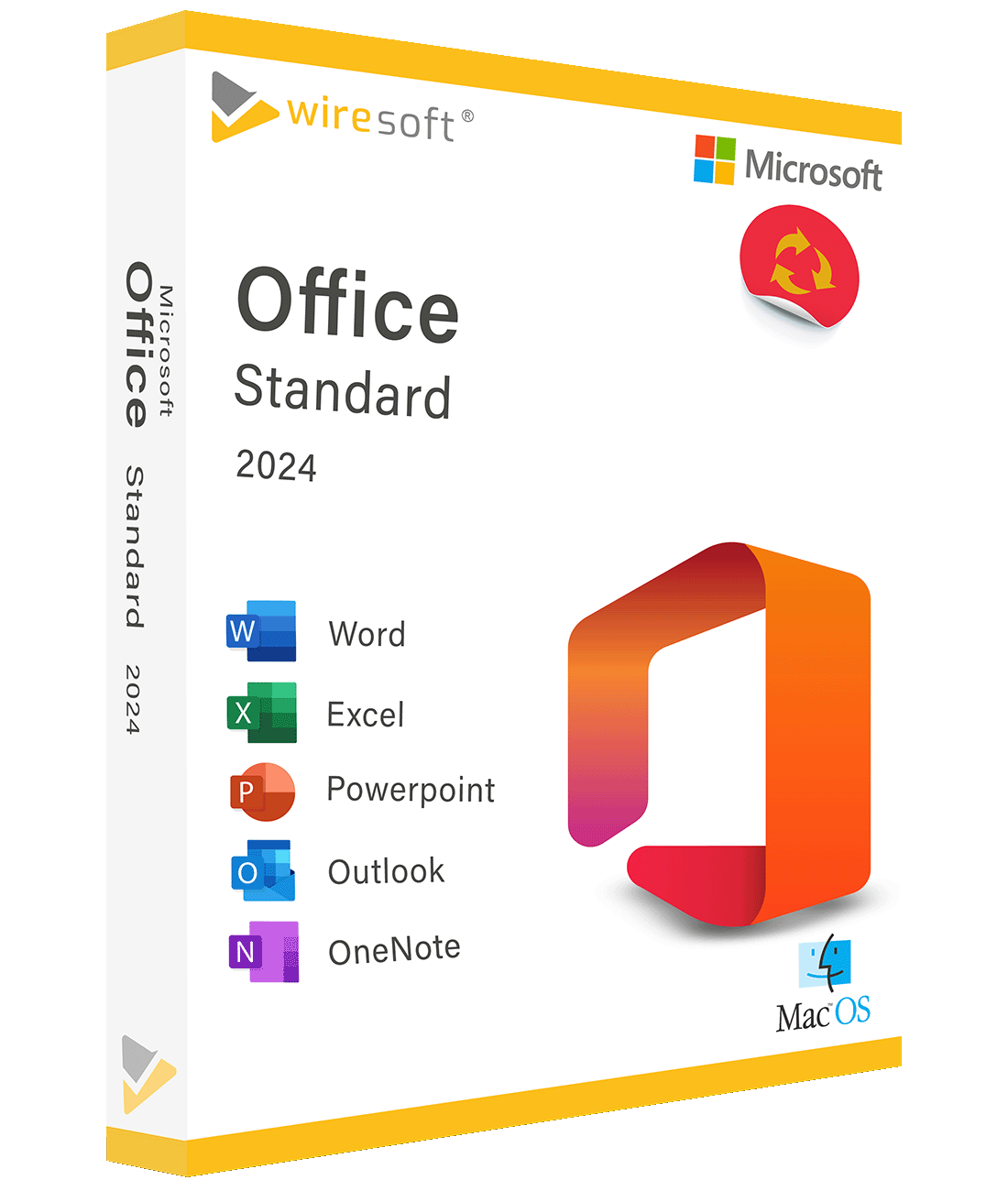
Microsoft Office 2024 Standard für Mac – die neueste Office-Suite für Ihren Mac Microsoft Office 2024 Standard für Mac ist die aktuellste Version der beliebten Office-Suite, speziell optimiert für macOS. Mit Word, Excel, PowerPoint und Outlook haben Sie alle Werkzeuge zur Hand, die Sie für produktives Arbeiten brauchen – perfekt abgestimmt auf Ihr Mac-Betriebssystem. Egal ob Student, Berufstätiger oder Unternehmer: Office 2024 Standard bietet Ihnen eine zuverlässige und flexible Lösung für Ihren Arbeitsalltag. Warum Office 2024 Standard für Mac? Benutzerfreundliche Oberfläche Alle Anwendungen sind speziell an die macOS-Oberfläche angepasst. Menüs und Werkzeuge fügen sich nahtlos in Ihr Mac-Erlebnis ein, sodass Sie sofort loslegen können. Word 2024 – professionelle Dokumente erstellen Erstelle Berichte, Briefe und komplexe Dokumente mit leistungsstarken Bearbeitungs- und Formatierungswerkzeugen. Egal ob einfacher Text oder umfangreiche Analyse – Word liefert Ihnen alles, was Sie brauchen. Excel 2024 – Daten analysieren und visualisieren Umfangreiche Tabellenkalkulation mit leistungsstarken Funktionen für Datenanalyse, Formatierung und Visualisierung. Erstelle professionelle Tabellen, die genau auf Ihre Anforderungen zugeschnitten sind. PowerPoint 2024 – überzeugende Präsentationen Designvorlagen, animierte Übergänge, benutzerdefinierte Folien und kreative Gestaltungsmöglichkeiten heben Ihre Präsentationen auf ein neues Niveau. Outlook 2024 – E-Mails und Termine im Griff Intelligente Filter- und Sortierfunktionen für Ihre E-Mails, integrierter Kalender und Cloud-Synchronisation – damit haben Sie Ihre Kommunikation und Termine immer unter Kontrolle. Weitere Vorteile Cloud-Integration: Speichere Dateien in OneDrive und greife von überall darauf zu Echtzeit-Zusammenarbeit: Bearbeite Dokumente gleichzeitig mit Ihrem Team KI-gestützte Funktionen: Automatische Textvorschläge, Diagrammempfehlungen und Formatierungshilfen sparen Ihnen Zeit Vielseitige Vorlagen: Grosse Auswahl an professionellen Vorlagen für Berichte, Tabellen und Präsentationen Microsoft 365 Kompatibilität: Nahtlose Integration mit Teams, SharePoint und weiteren Microsoft-Diensten Microsoft Office 2024 Mac Standard günstig bei Softwarehandel24 kaufen Bei Softwarehandel24 bekommen Sie Microsoft Office 2024 Standard für Mac zum besten Preis: Sofort-Download: Direkt nach der Bezahlung verfügbar Original Microsoft Lizenz: Vollständig geprüft und einsatzbereit Keine Abo-Pflicht: Einmal kaufen, dauerhaft nutzen Volle Funktionalität: Keine Einschränkungen, keine Testversion Persönlicher Support: Per E-Mail, Telefon oder Chat erreichbar